
How Do I Add My Credit Card?
Last updated
This article will show you how to add your credit card to your PMA subscription payment information.
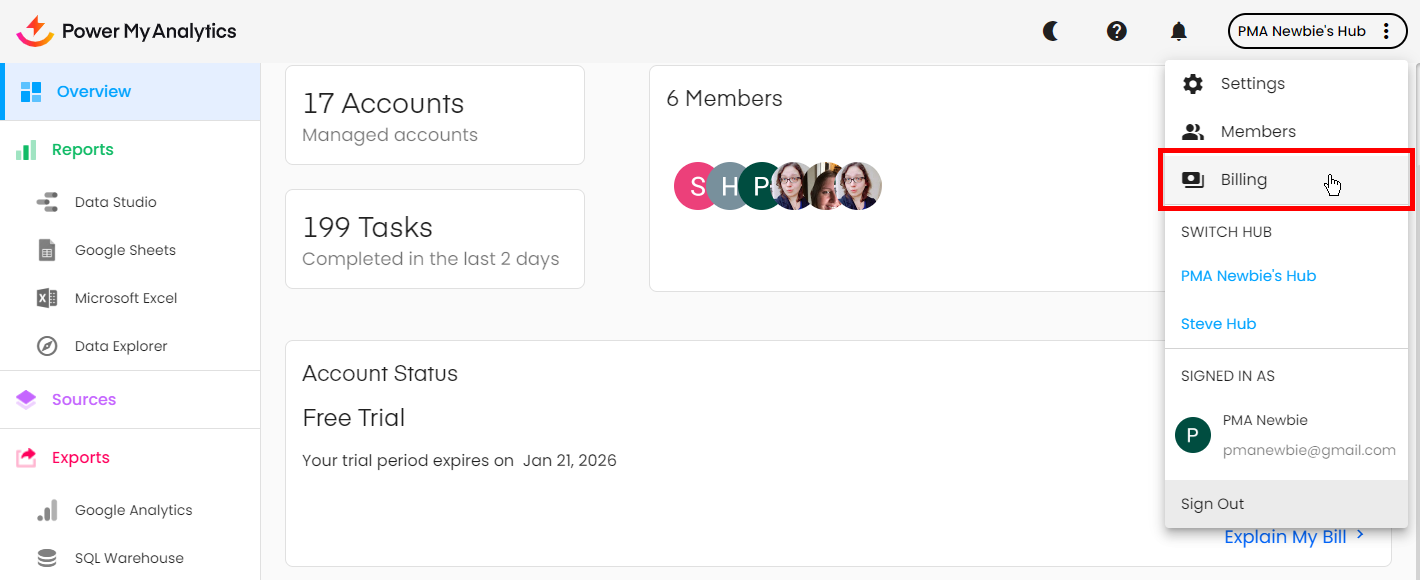
To add your credit card as a payment method, go to your hub. Click on the three dots in the upper-right corner and select Billing.
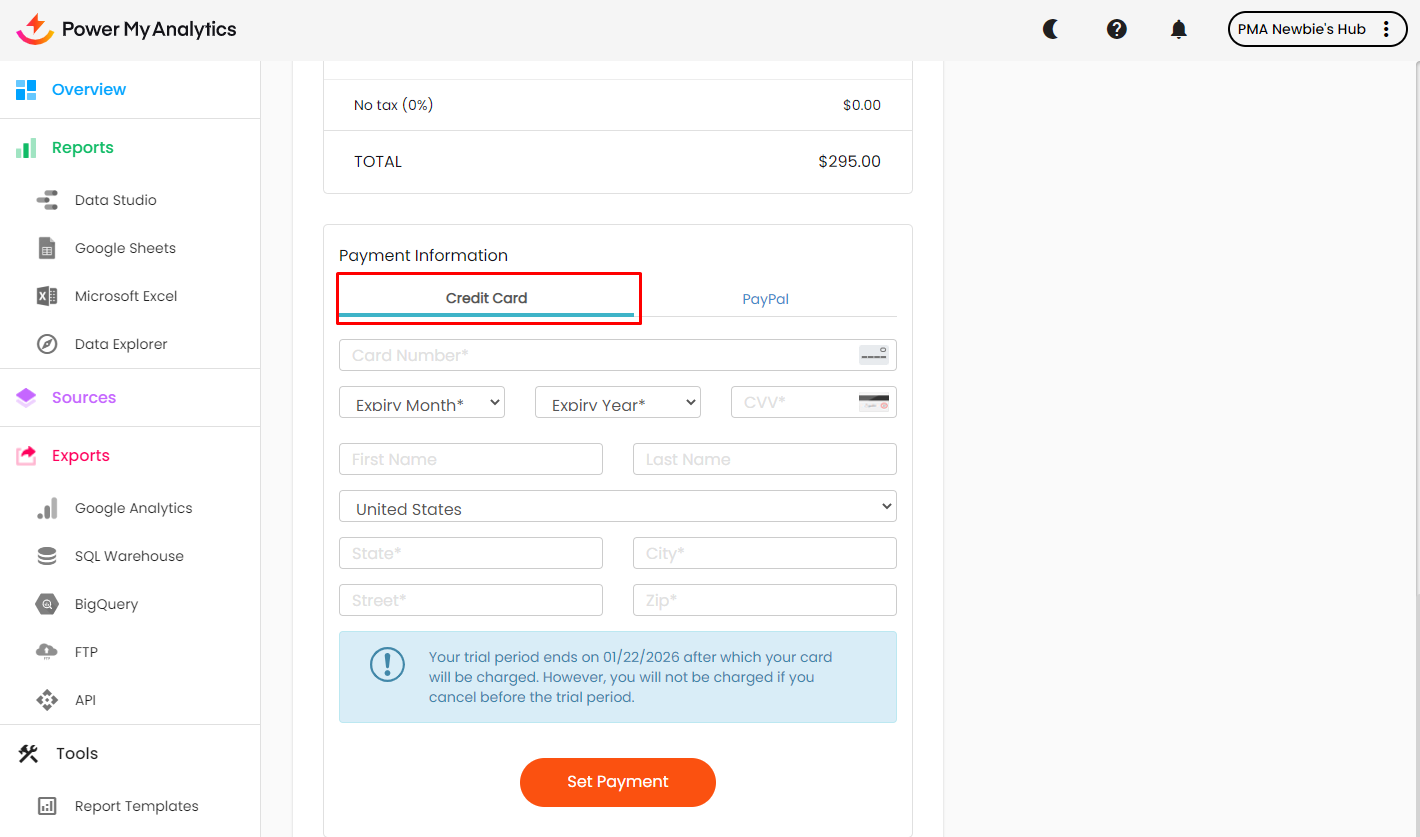
On the Billing Information page, scroll down to Payment Information and click Credit Card.
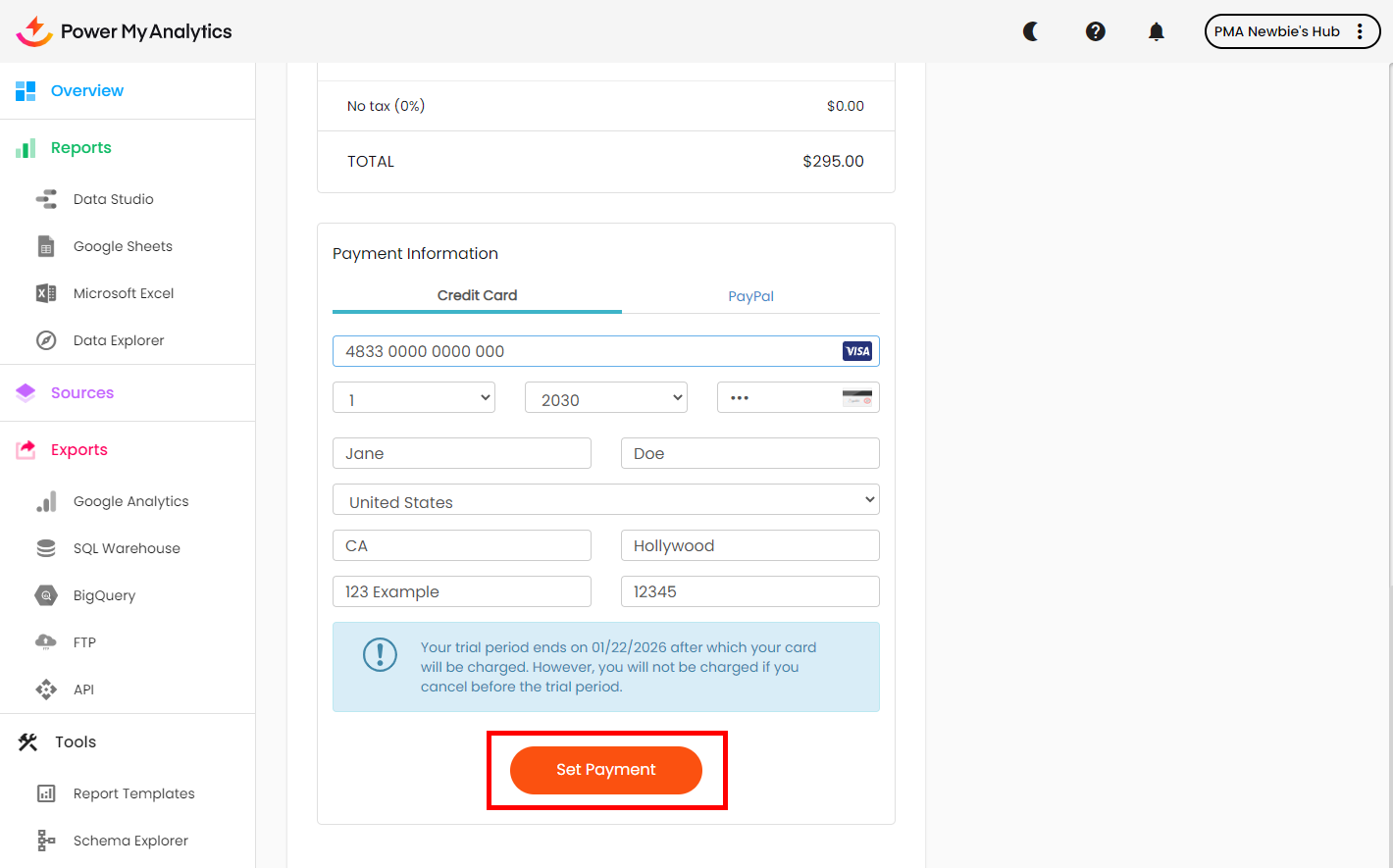
Enter your credit card information and click Set Payment.
Note: Keep your street address to 60 characters or fewer. A longer billing address entry causes a payment error; see Problem in Processing Payment for the limit on each field.