How to Avoid Duplicate Reports in Data Studio
Last updated
After making a copy of a report, you may notice that changes made to the copy reflect on the original. This article will show you how this happens and how to fix it.
What Is a Duplicate Report?
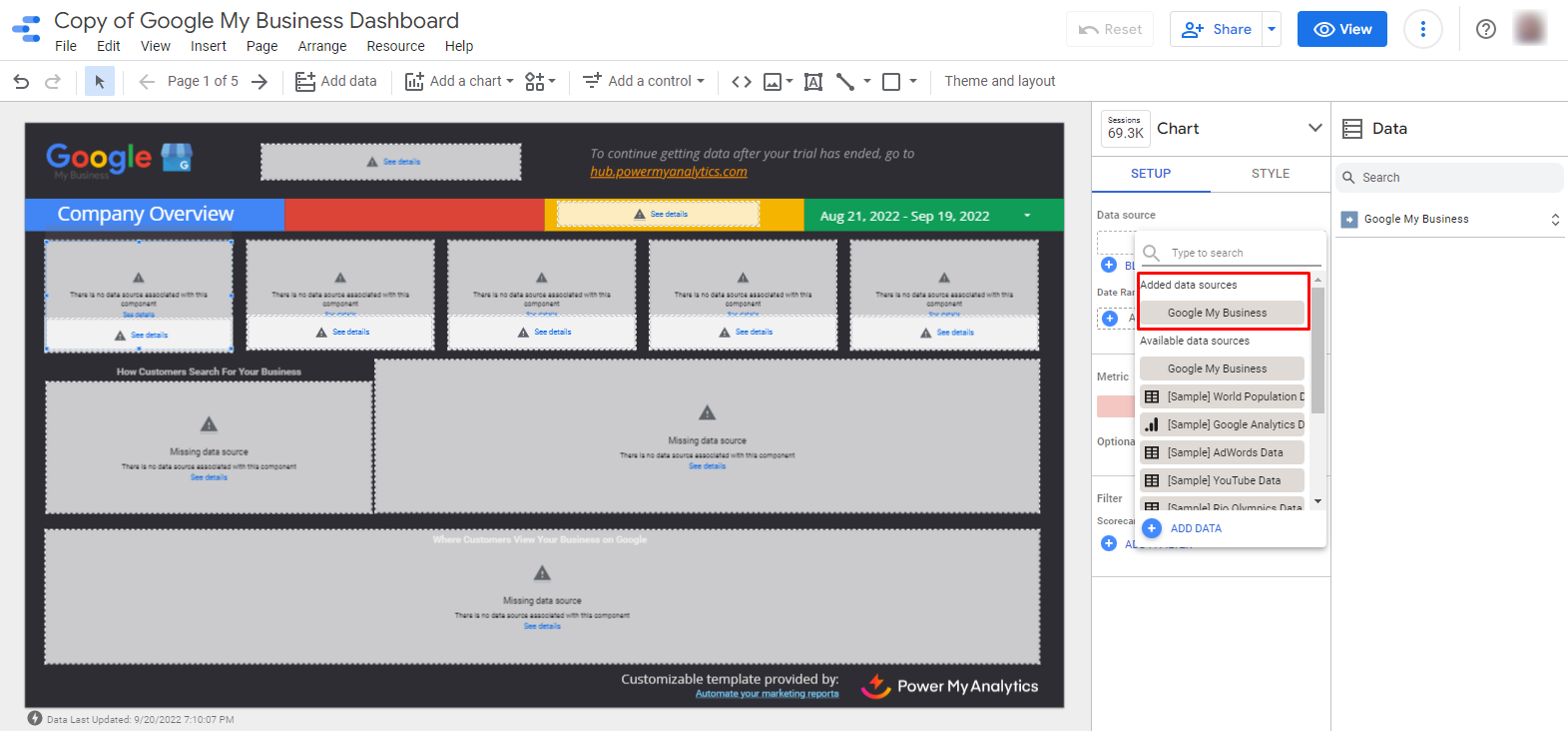
When a copy is made, selecting from available data sources in order to report with a different profile, location, or page under the same login will create a report that is linked to the first. Changes made to the new report in the connector configuration step will affect the original report.
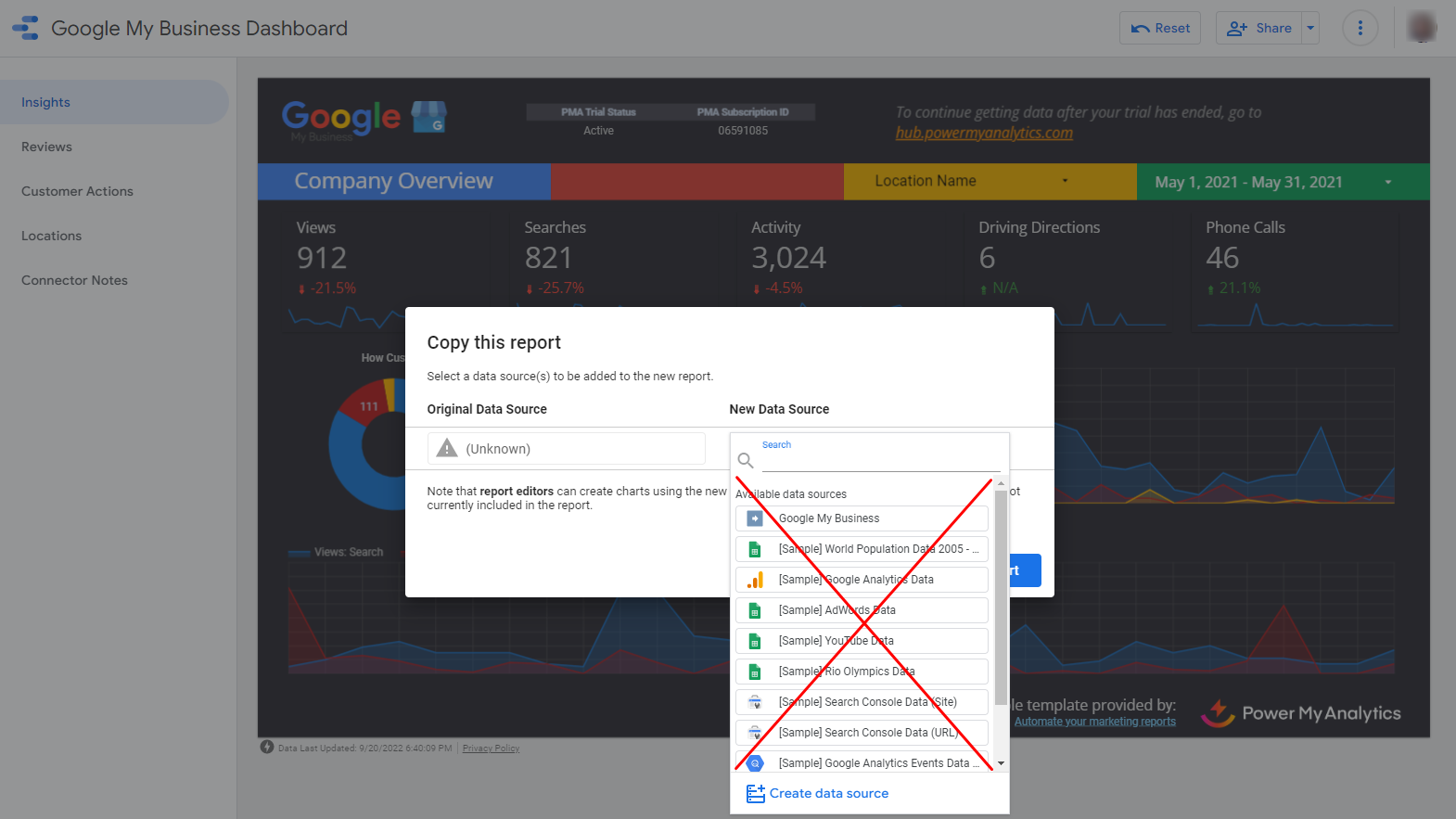
Avoid Duplicate Reports
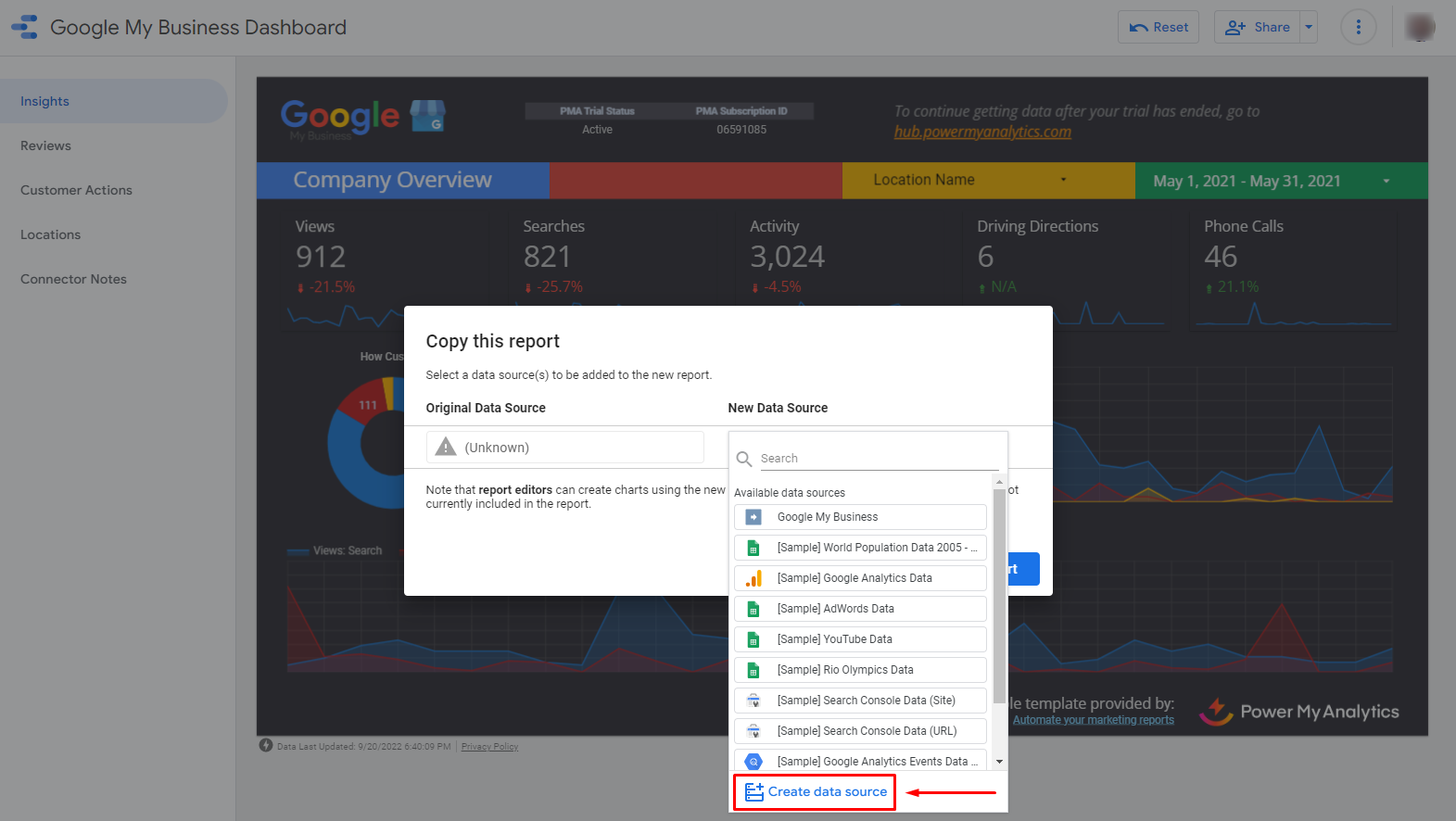
When making a copy of a report, create a new data source.
Fix Duplicate Reports
Select Manage added data sources under Resource.
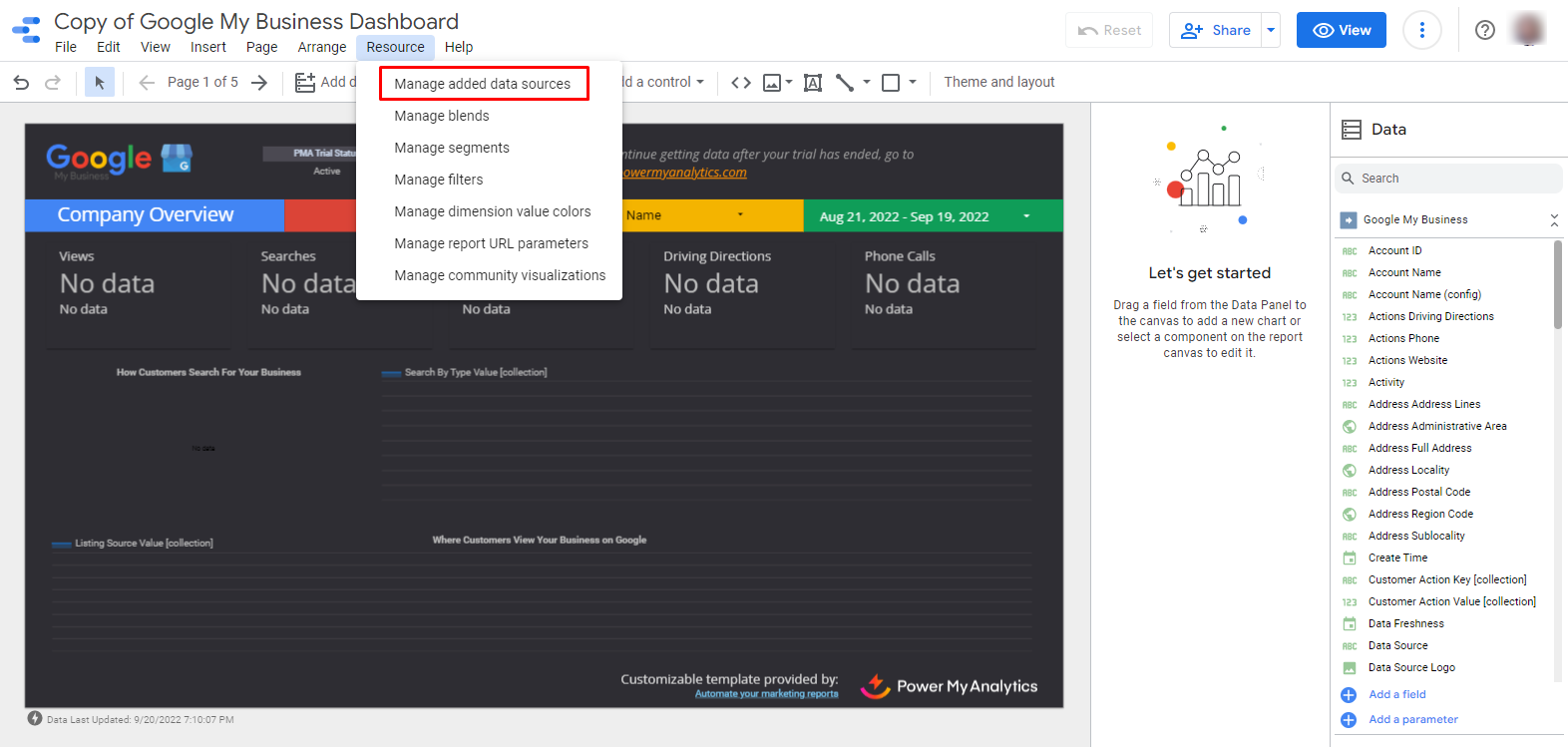
Click Remove to remove the problematic data source.

Add a new data source.

Select each chart within the report. Click Select data source and choose the newly added data source from your list.