
Instagram Page Not Appearing in Manage Accounts
Last updated
Note: If your Instagram account shows "0 pages" or doesn't appear when connecting to Power My Analytics, it's likely not connected to a Facebook Business Manager account.
Issue
Data Studio shows "Data Set Configuration Error", the Instagram Insights connector shows "0 pages" available, and your Instagram page doesn't appear in the list when creating reports.
Cause
Your Instagram account must be linked to a Facebook Page, and that page must be part of a Facebook Business Manager account. If your Instagram account is not linked to the page, or the page isn't part of Business Manager, Meta will not allow access to your data from Power My Analytics.
Solution
Add Facebook Page to Business Manager:
- Go to business.facebook.com
- Navigate to Business Settings > Pages
- Click Add and select Add a Page
- Follow the prompts to add your Facebook Page
Verify Instagram-Facebook Page Connection:
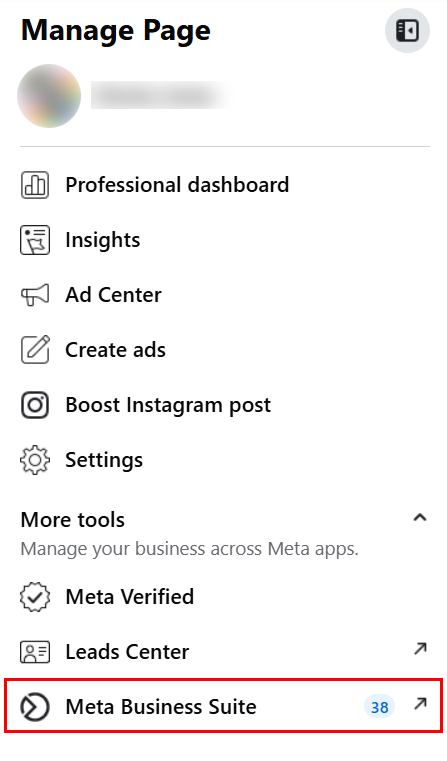
Go to your Facebook page and open the Manage Page side menu, then click Meta Business Suite.
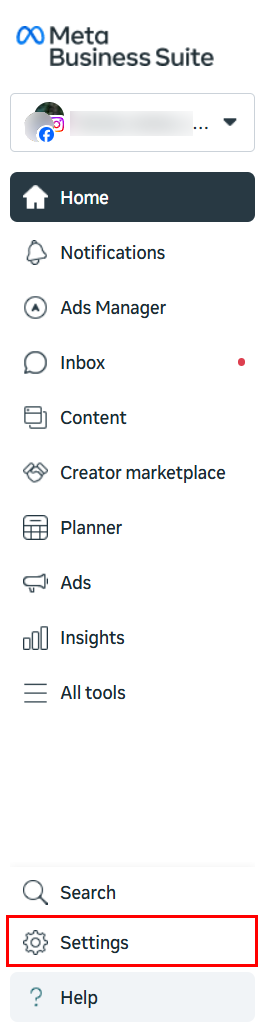
In the Meta Business Suite sidebar, select Settings.
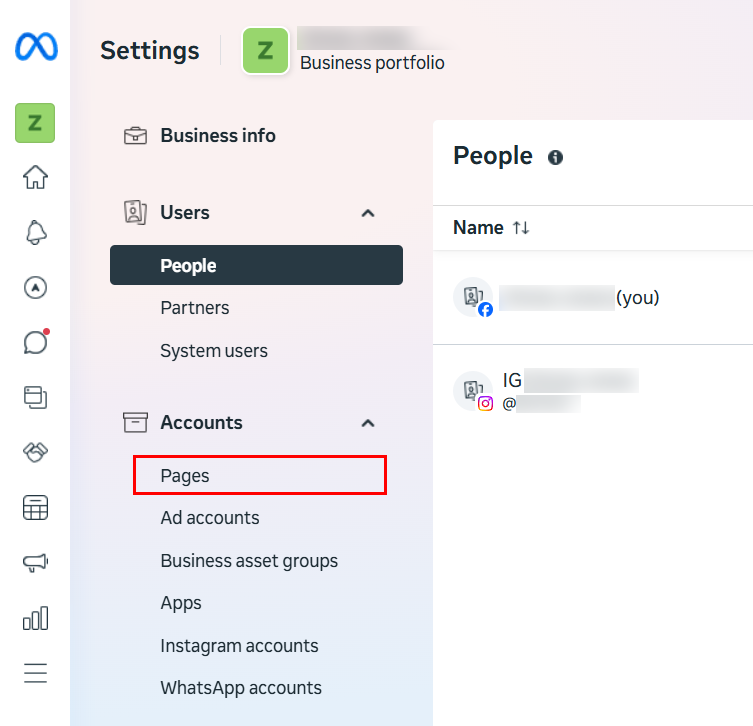
Under Accounts, click on Pages.
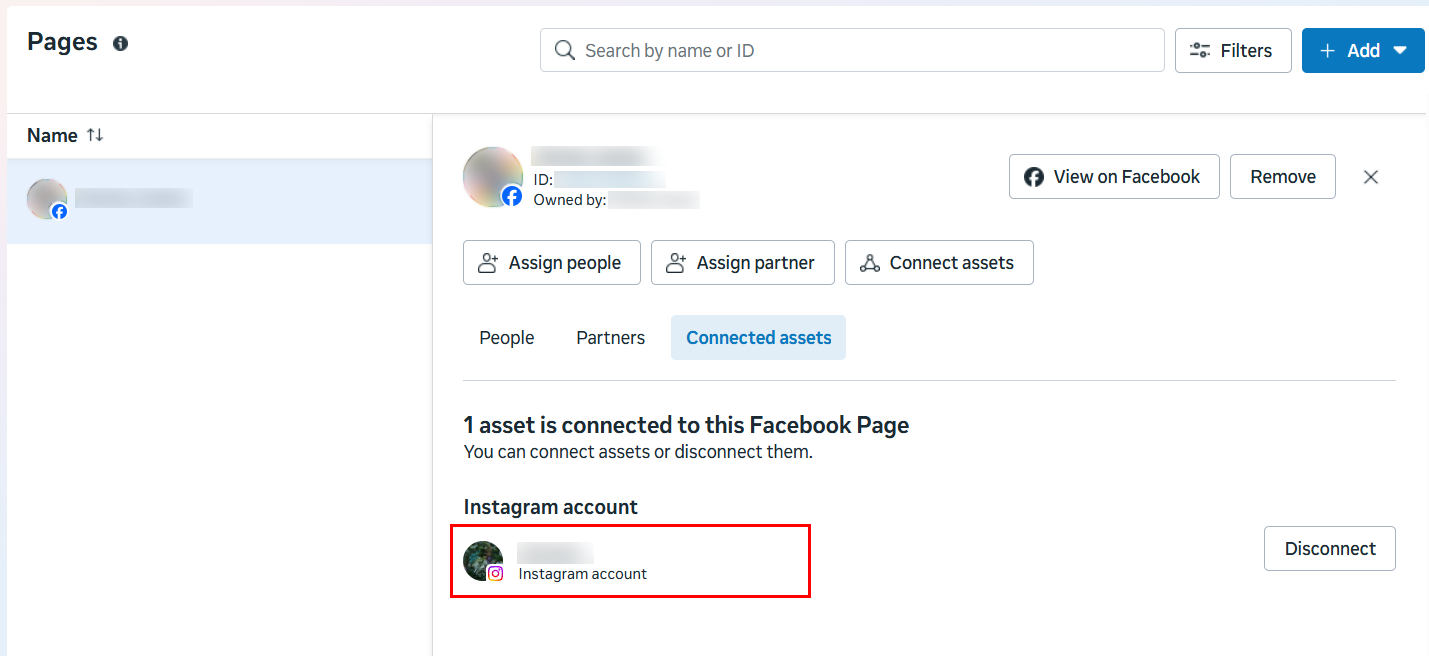
Select your Facebook page from the left column and click the Connected assets tab.
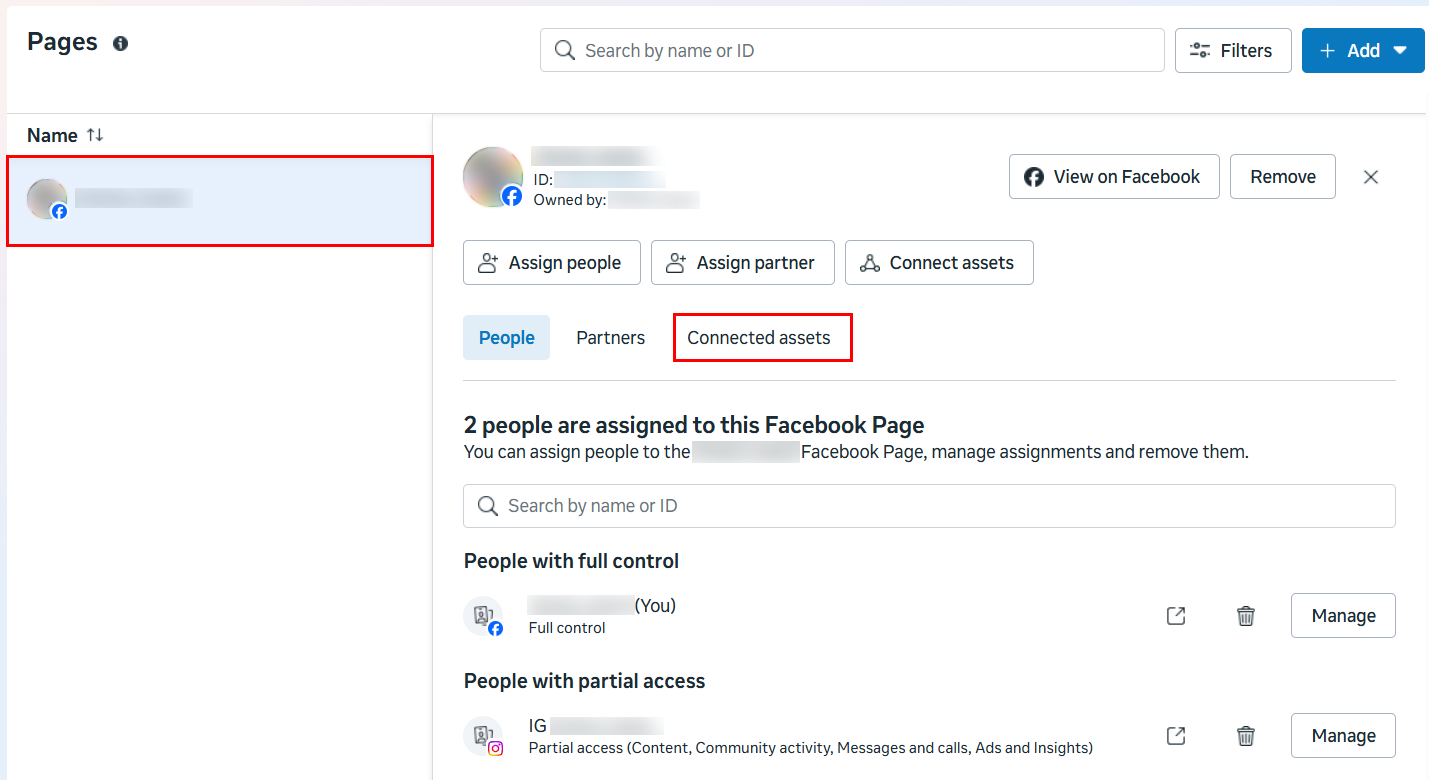
Confirm that your connected Instagram account is listed as a connected asset. If your Instagram account is successfully connected to your Facebook page, it will be listed under Instagram account.
Verify Permissions:
- In Facebook Page Settings > Manage and view access
- Check People with Facebook access section
- Ensure you have admin access to both the Page and Instagram account
Refresh the Account List in Power My Analytics:
- After making these changes, go to Sources in your Power My Analytics hub. You don't need to disconnect and reconnect your Instagram Insights source.
- Click the three-dot menu in the Actions column next to your Instagram Insights source and select Refresh accounts, then wait for the Accounts refreshed message.
- Open the same menu, select Add or remove accounts, check your Instagram account, and click Save.
- Meta can take up to 24 hours to make a newly linked account available. If the account isn't listed yet, wait 24 hours and refresh again. If it still doesn't appear, see Why Can't I See All of My Accounts in My Hub?
Important: Remember: Having an Instagram account linked to a Facebook Page is not enough. The Facebook Page must also be part of a Business Manager account for API access to work properly.