
Error Connecting to Instagram Media Insights
Last updated
Note: You may encounter the error "This Instagram account is not connected to a Facebook page" when attempting to connect your Instagram Insights account to Power My Analytics for data reporting. This guide addresses the common error and provides step-by-step solutions to resolve the issue.
Error
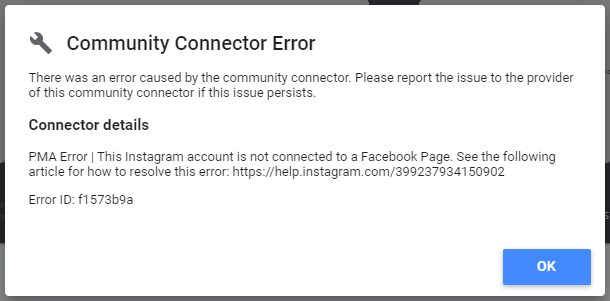
"This Instagram account is not connected to a Facebook page"
- Data Source Affected: Instagram Insights
- Occurs: When attempting to create a report using Instagram Insights as a data source
Causes and Solutions
1. Browser Incompatibility
Issue: Using the Safari browser on Mac may cause connection issues.
Solution:
- Switch to Google Chrome browser
- Retry connecting your Instagram account using Chrome
2. Instagram Account Not Linked to Facebook Page
Requirement: Your Instagram account must be linked to a Facebook page. We can only pull data from Instagram accounts that are linked to a Facebook page.
Solution:
- Visit the Instagram Help Center: How to link Instagram to Facebook
- Follow the instructions to link your Instagram account to your Facebook page
- Once linked, return to Power My Analytics and attempt to connect your Instagram Insights account again
3. Insufficient Permissions in Facebook
Issue: The Power My Analytics app lacks necessary permissions in Facebook.
Solution:
Go to your Facebook Business Integrations page
Select Settings & Privacy from the dropdown menu in the upper right corner
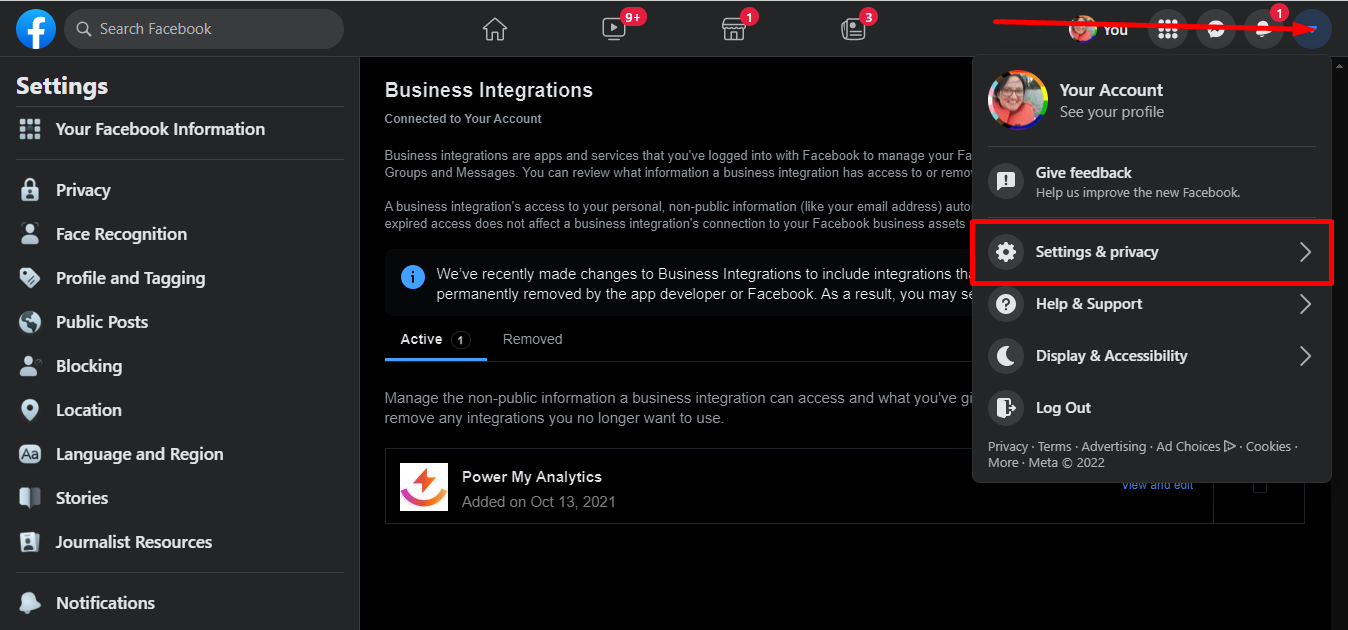
Go to Settings
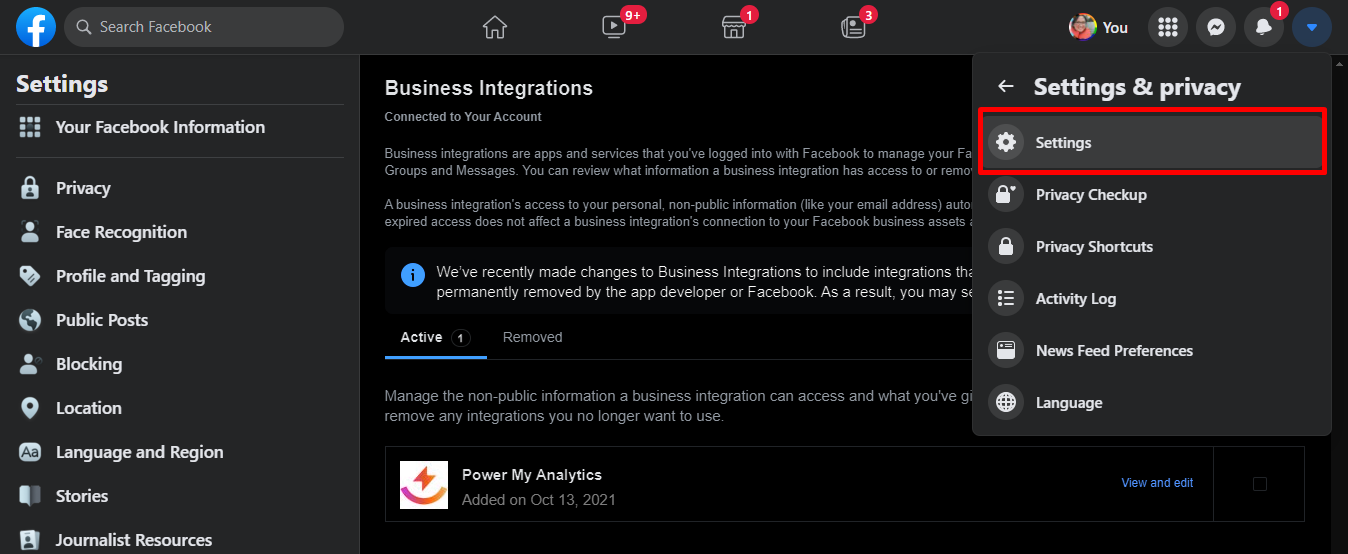
Click Security and login
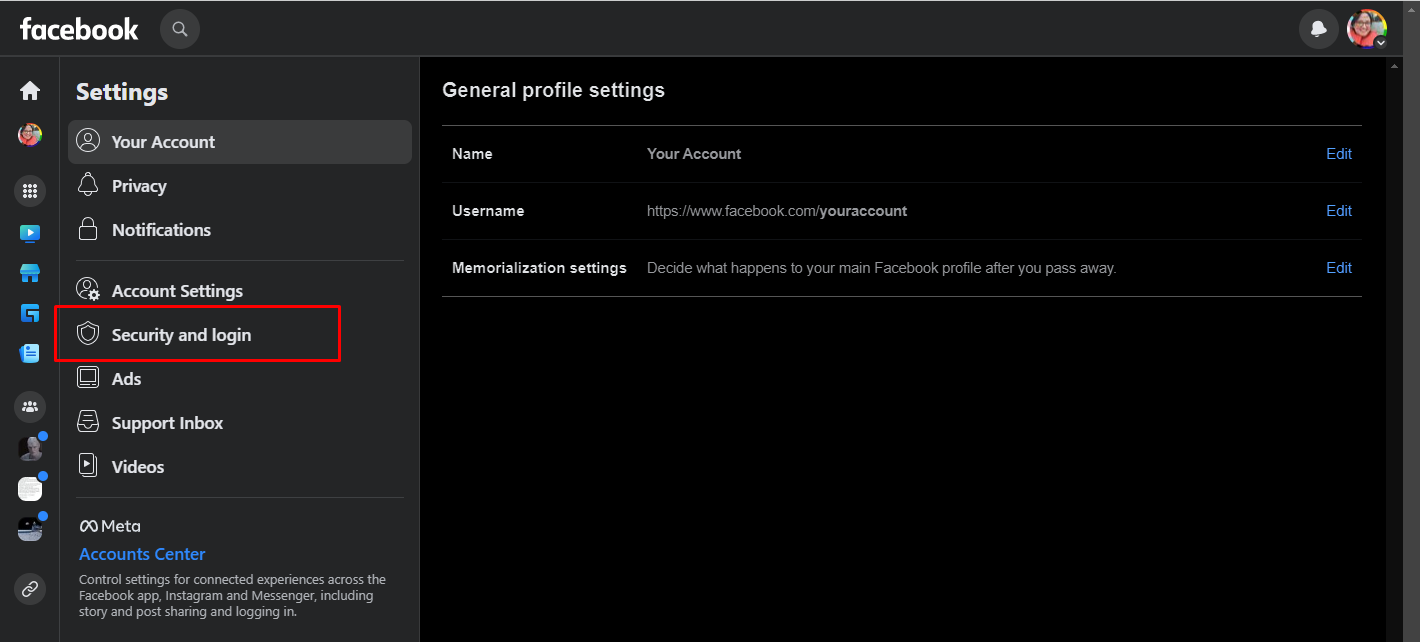
Choose Business Integrations
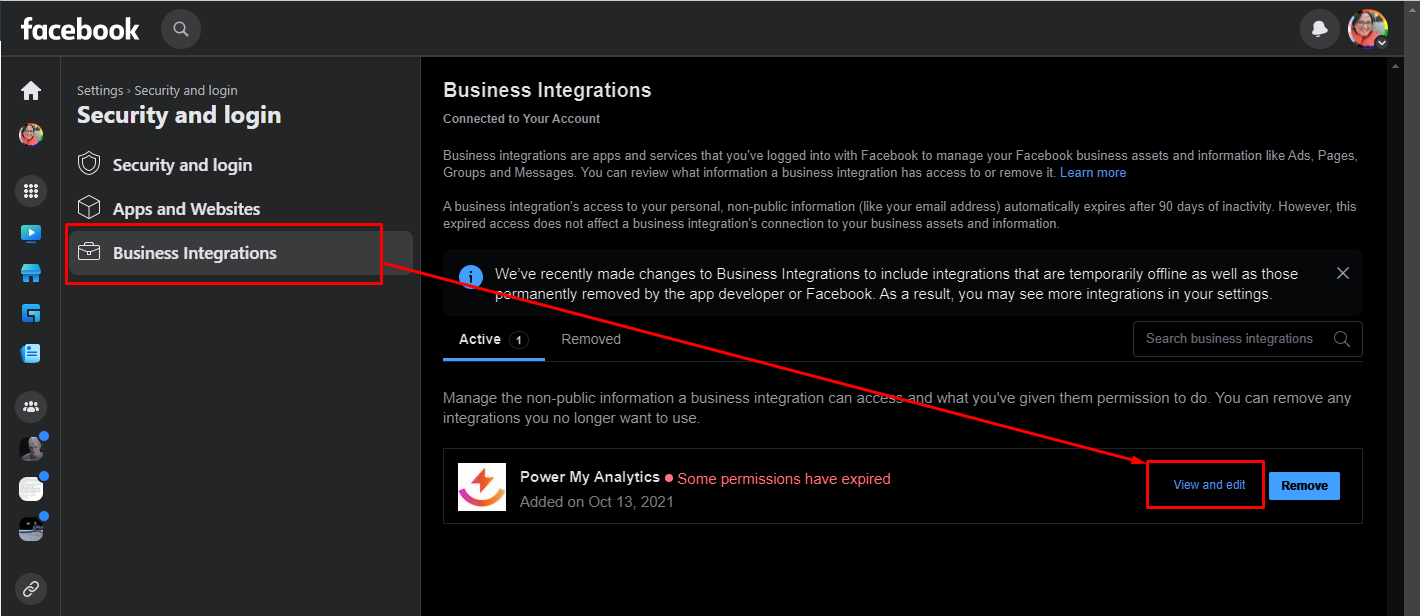
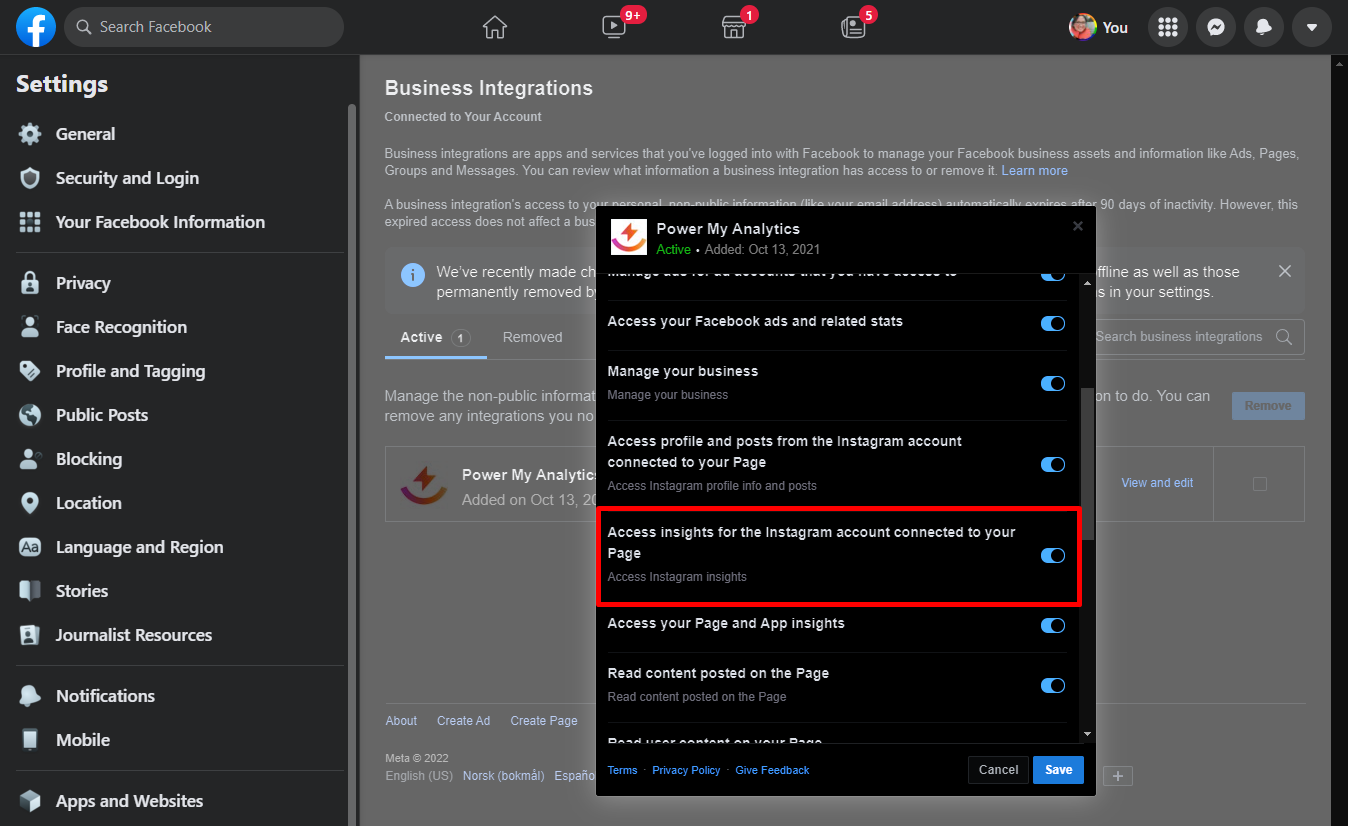
Locate Power My Analytics and click View and Edit
Ensure Access insights for the Instagram account connected to your Page is toggled On
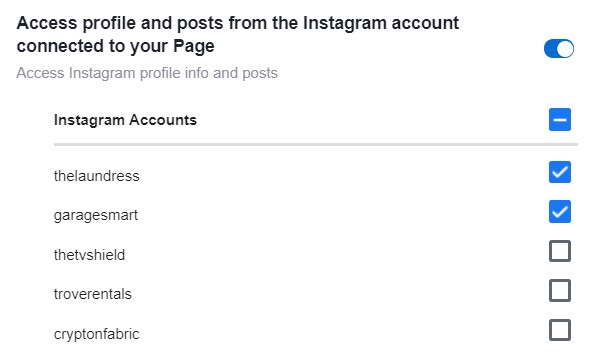
Verify that your desired Instagram profile is included in the list of accessible profiles. In the example below, thetvshield, troverentals and cryptonfabric would not be able to be reported in our connector.
4. Persistent Issues
If none of the above solutions resolve the problem, try disconnecting and reconnecting Power My Analytics in Facebook:
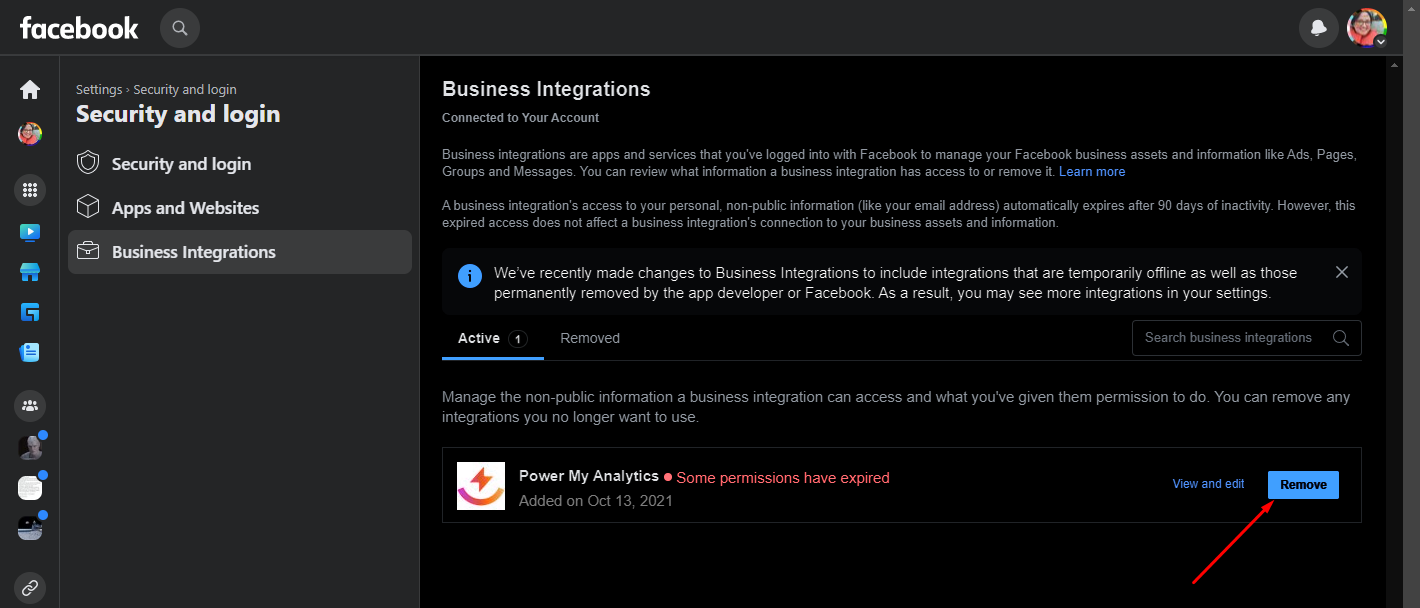
Go to your Business Integrations page on Facebook
Remove Power My Analytics
In your Power My Analytics hub:
- Disconnect the Instagram Insights data source
- Reconnect the Instagram Insights data source
Note: Disconnecting and reconnecting the data source will not impact your existing reports.
For detailed instructions on disconnecting and reconnecting a source, please see Disconnect and Reconnect a Source from Your Hub.