
Google Sheets Error: Query Inactivity Error
Last updated
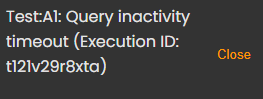
If you are receiving a Query Inactivity Error when using our Sheets add-on, the following steps may help to resolve the issue.
This page will assist you with the following error in Google Sheets:
Query Inactivity Error
Solution
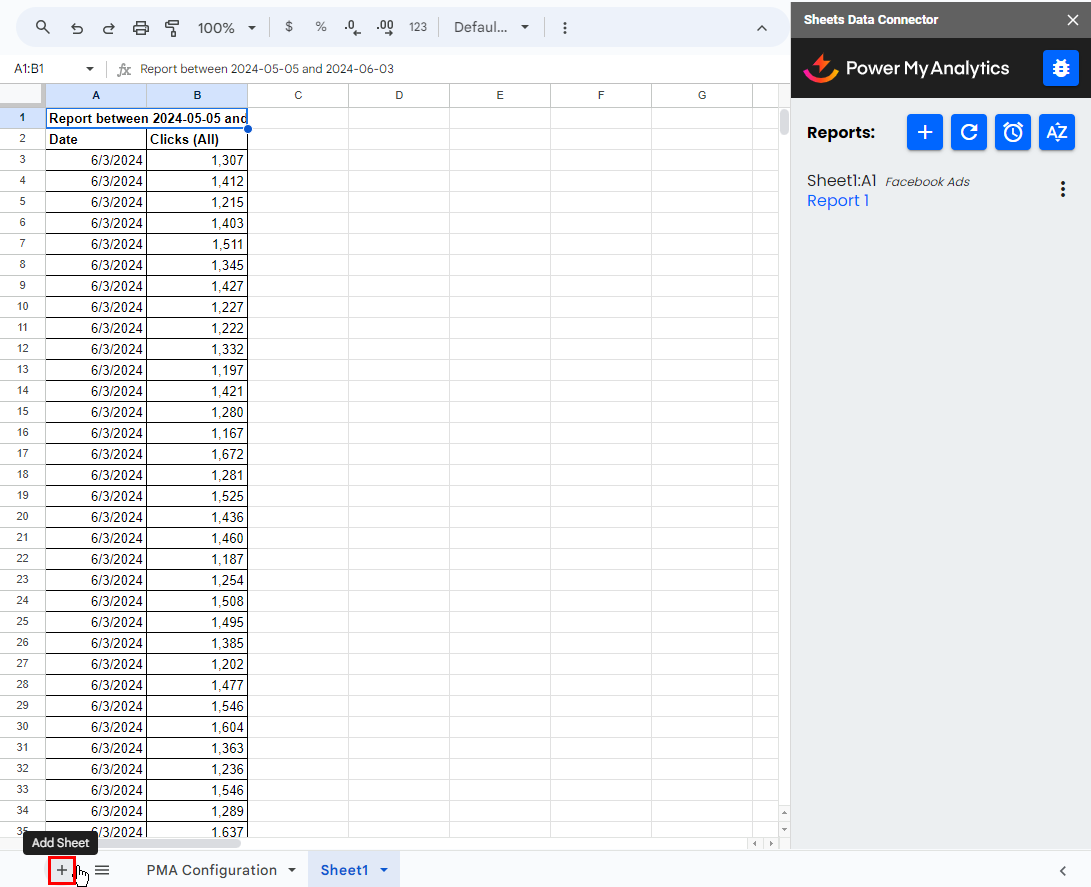
First, duplicate the report in the Google Sheets addon. Create a new sheet by clicking on the + (Add Sheet) in the lower left corner.
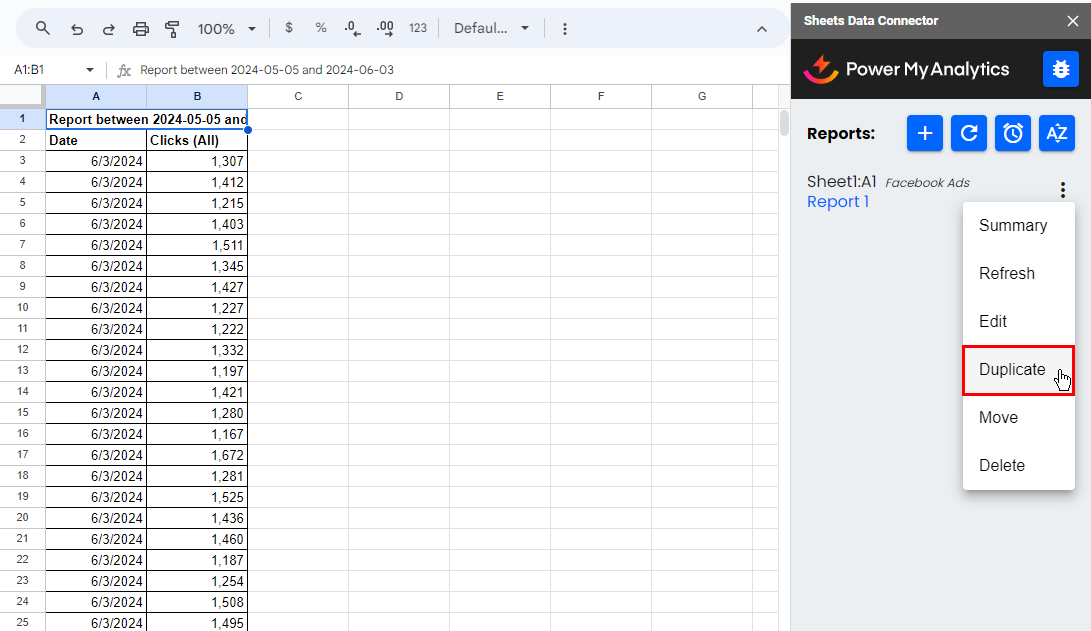
Next, click on the three dots next to the report and choose Duplicate.
Then refresh all reports: click Refresh at the bottom of the sidebar and select Refresh all reports.