
Troubleshooting Calculated Fields in Data Studio
Last updated
This article will assist with calculated fields that are displaying incorrect results.
Check Parentheses
The most common cause of calculated field errors is missing parentheses.
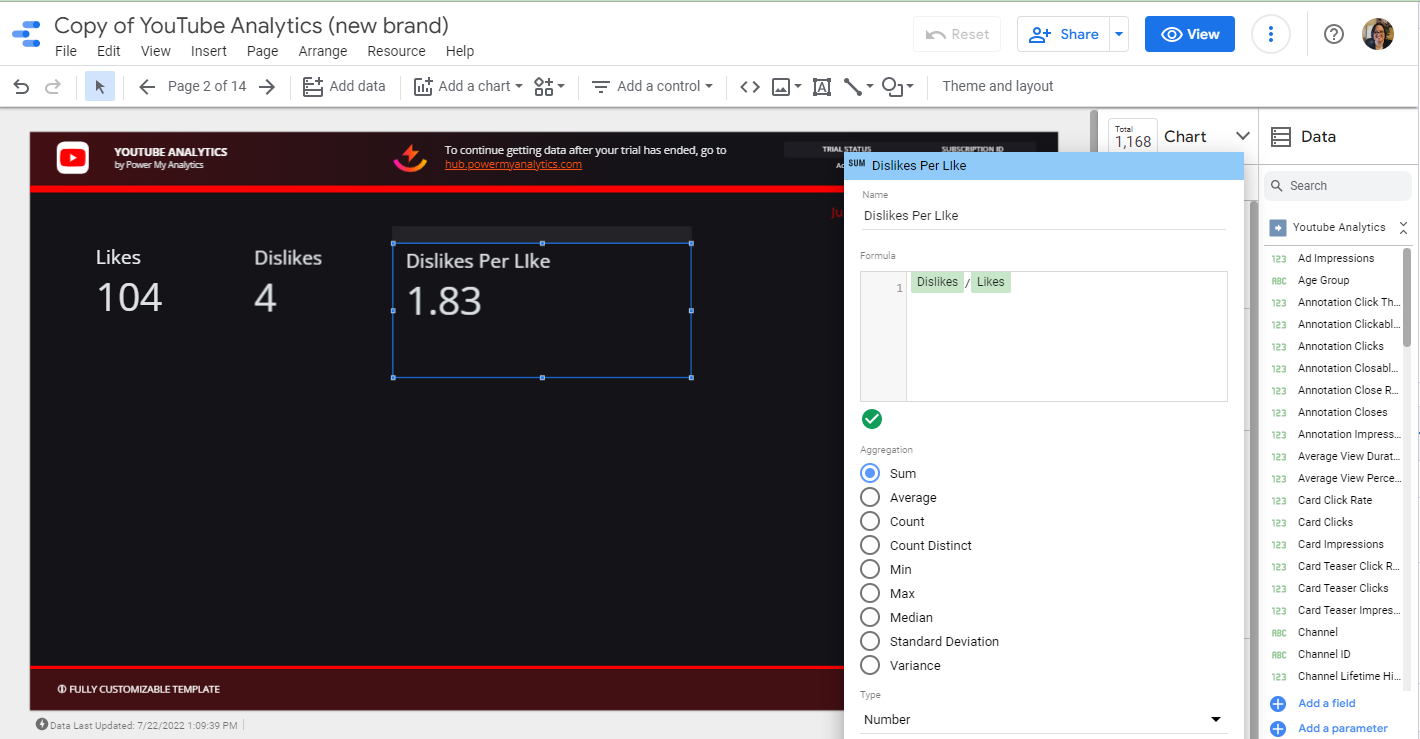
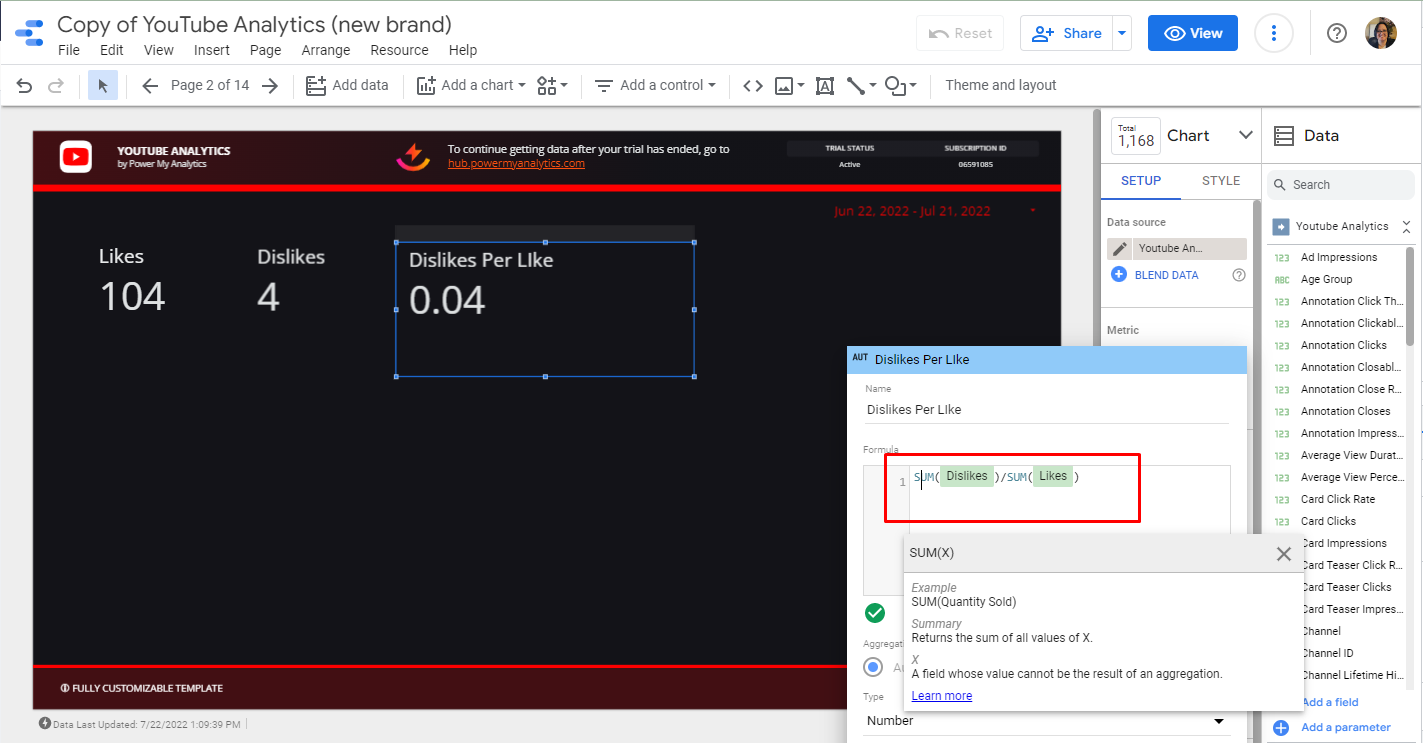
Type SUM(fieldname) around each field to obtain correct results.
Note: Prefer to skip report formulas altogether? You can create the calculated field upstream in Power My Analytics instead. Data Builder's Create Field (Beta) feature lets you build custom metrics and dimensions before your data reaches Data Studio, with aggregation handled for you, so the field arrives in your report already calculated. See Create Calculated Fields with Data Builder to get started.