
Custom or Calculated Fields Show the Wrong Numbers
Last updated
This article will address the following issue:
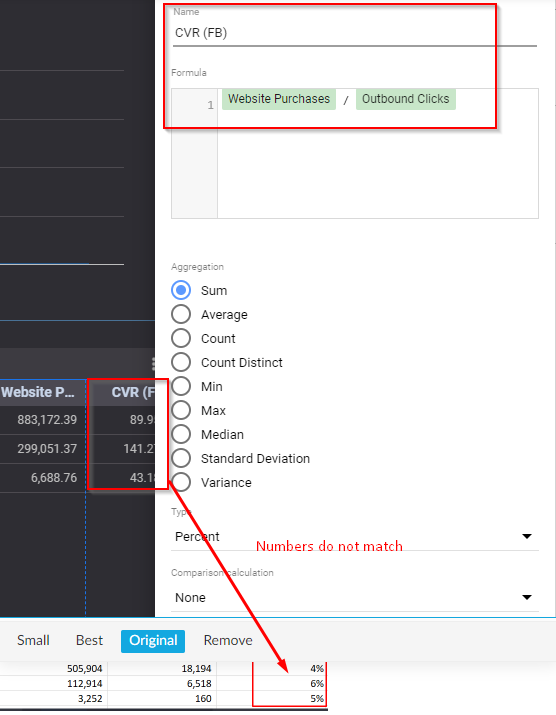
Custom fields in a Data Studio report return inaccurate calculations.
Solution
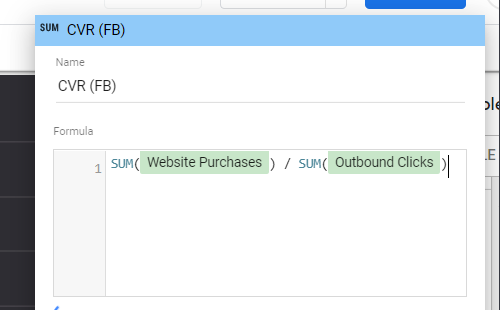
Type SUM () around each of the fields in your formula.
Tip: You can also avoid formula aggregation issues by creating the calculated field upstream in Power My Analytics. Data Builder's Create Field (Beta) feature builds custom metrics with a Default Aggregation (Sum or Average) applied for you, so there's no need to wrap fields in SUM() in your report. See Create Calculated Fields with Data Builder to get started.