
Error: Missing YouTube Analytics Scopes
Last updated
Note: When creating a report using your YouTube Analytics account in Power My Analytics, you may encounter an error message stating "Missing YouTube Analytics Scopes." This guide will help you understand the cause of this error and provide step-by-step instructions to resolve it.
Error
"Missing YouTube Analytics Scopes"
- Data source affected: YouTube Analytics
- Occurs: When attempting to create a report using a YouTube Analytics account as a data source
Cause
This error occurs due to insufficient YouTube-related permissions granted to Power My Analytics when connecting to your Google account. To resolve this issue, you'll need to disconnect and reconnect your Google account with the correct permissions.
Solution
Disconnect your Google account:
Note: Disconnecting and reconnecting a source will not impact any existing reports in Power My Analytics.
Navigate to your Power My Analytics hub
Click on Sources in the left navigation panel
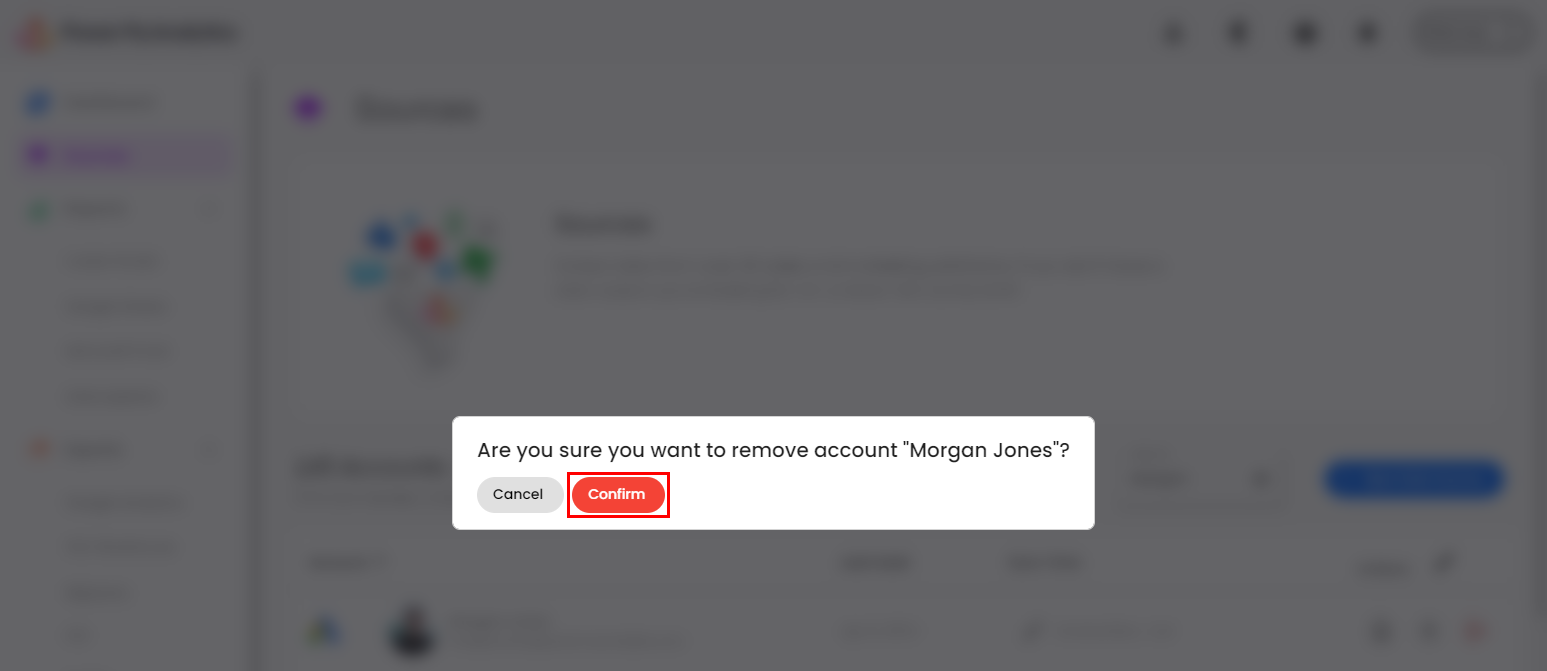
Locate the Google account you wish to remove and click the red icon next to it

Confirm the disconnection when prompted
Reconnect to Google with the correct permissions:
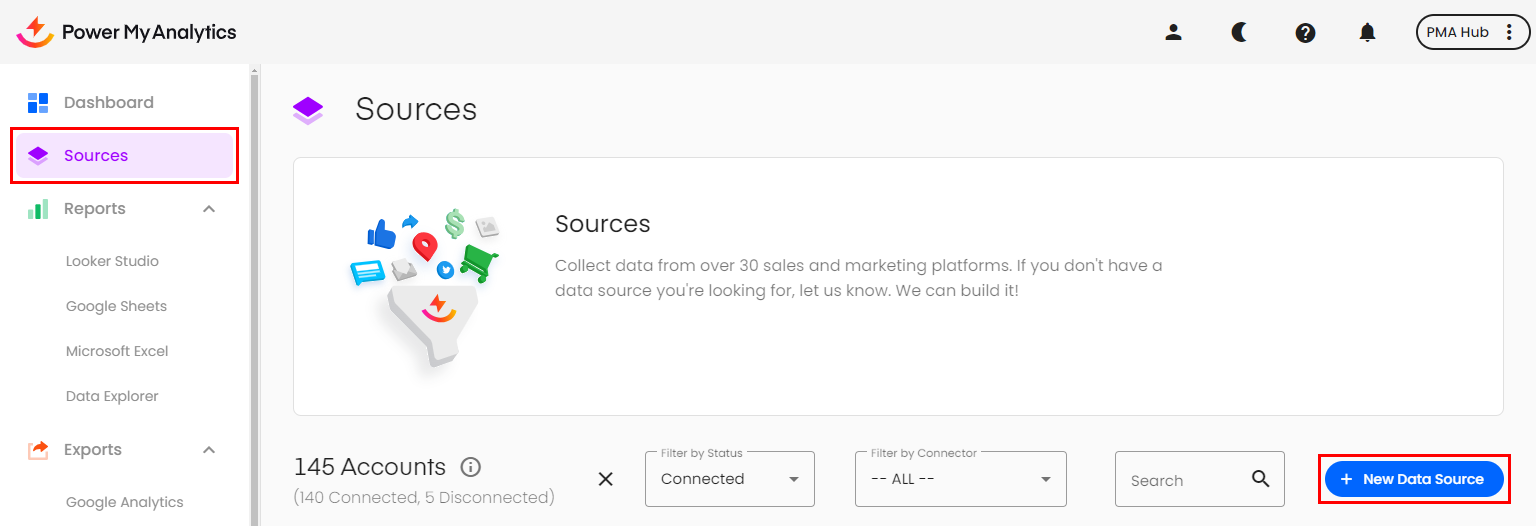
In your Power My Analytics hub, click on Sources in the left navigation panel
Click on + New Data Source
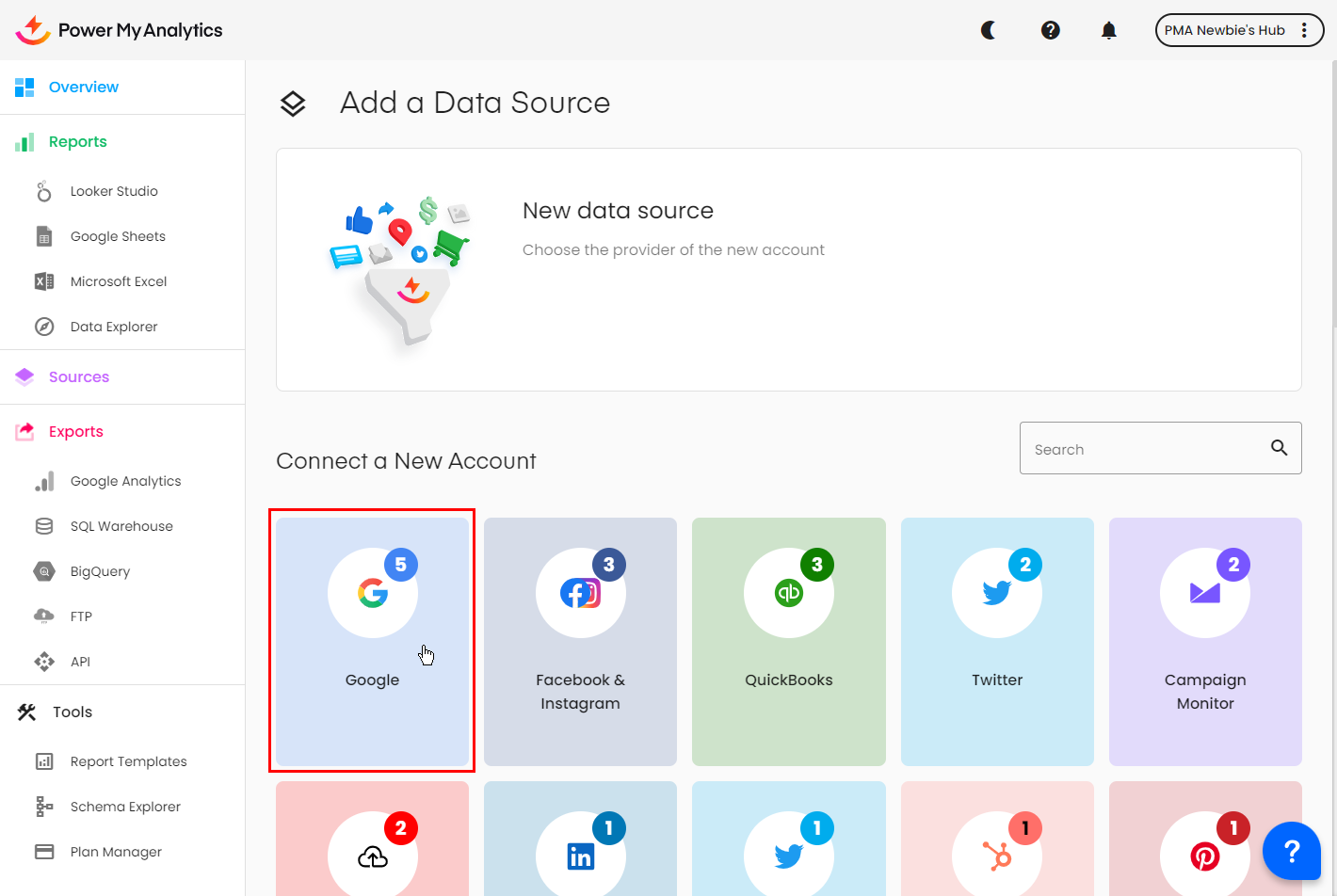
Select Google from the available options
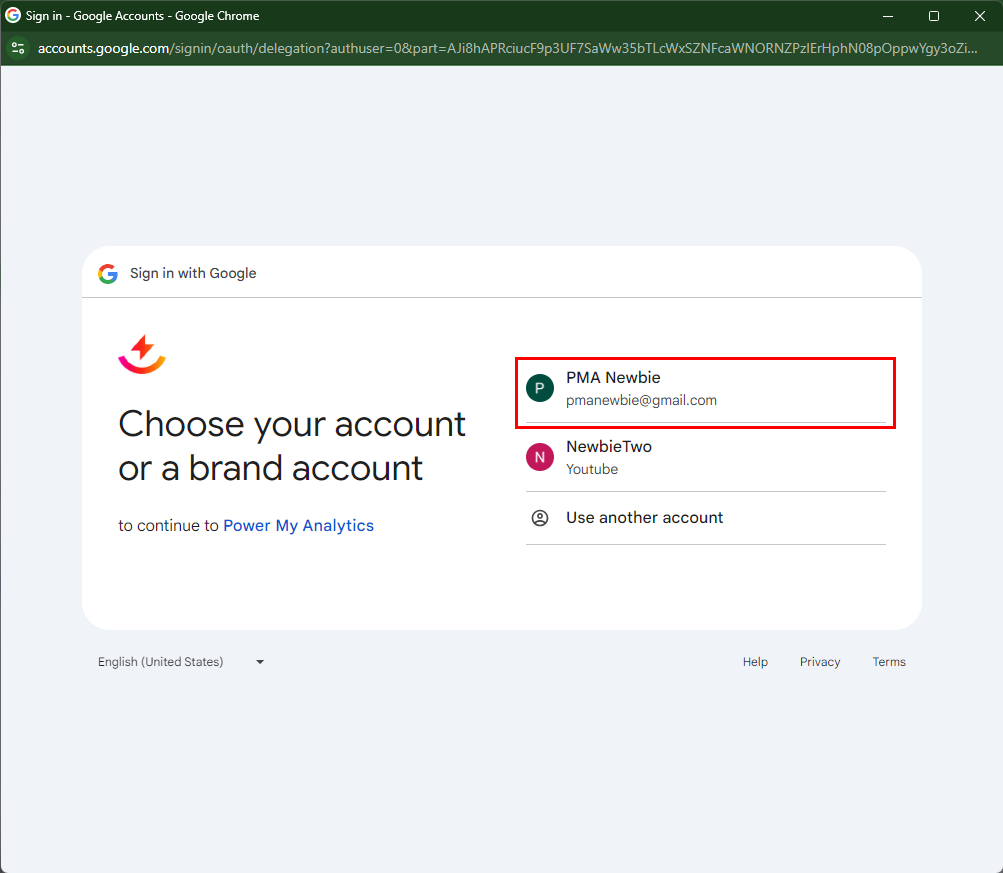
When the popup appears, choose the Google account or brand account that has access to the YouTube channel you'd like to report
Enable the following permissions:
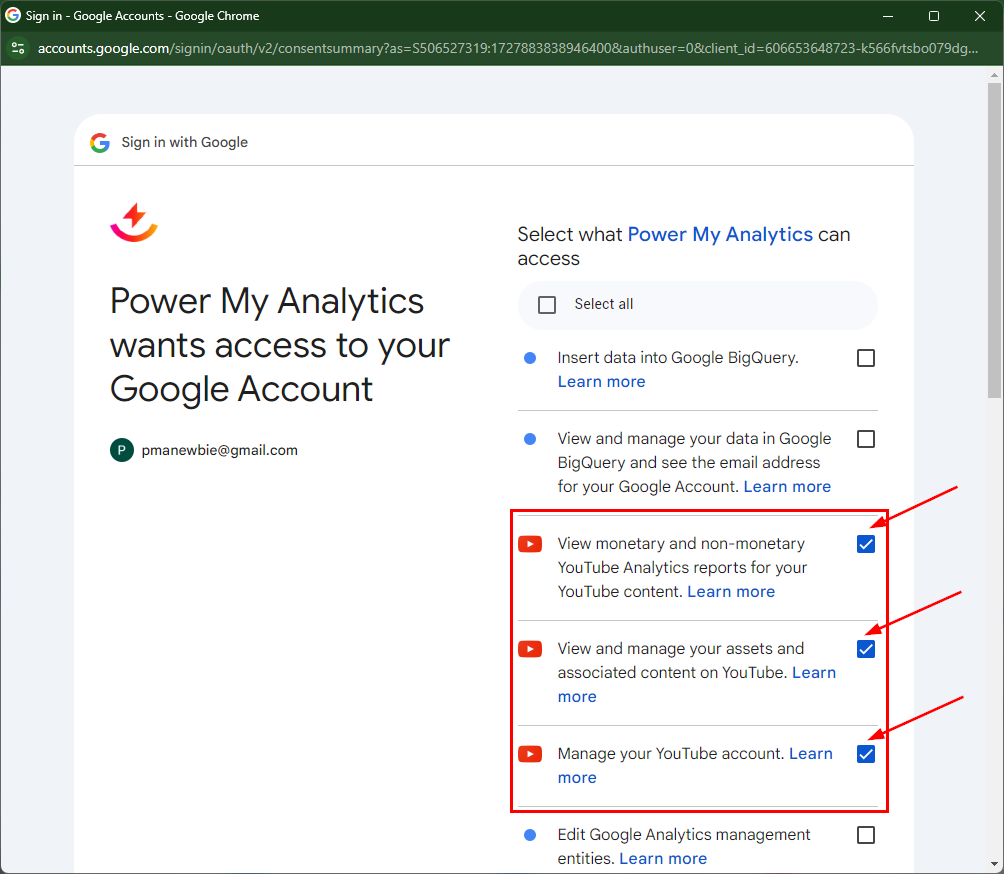
- View monetary and non-monetary YouTube Analytics reports for your YouTube content
- View and manage your assets and associated content on YouTube
- Manage your YouTube account
Click Continue to proceed
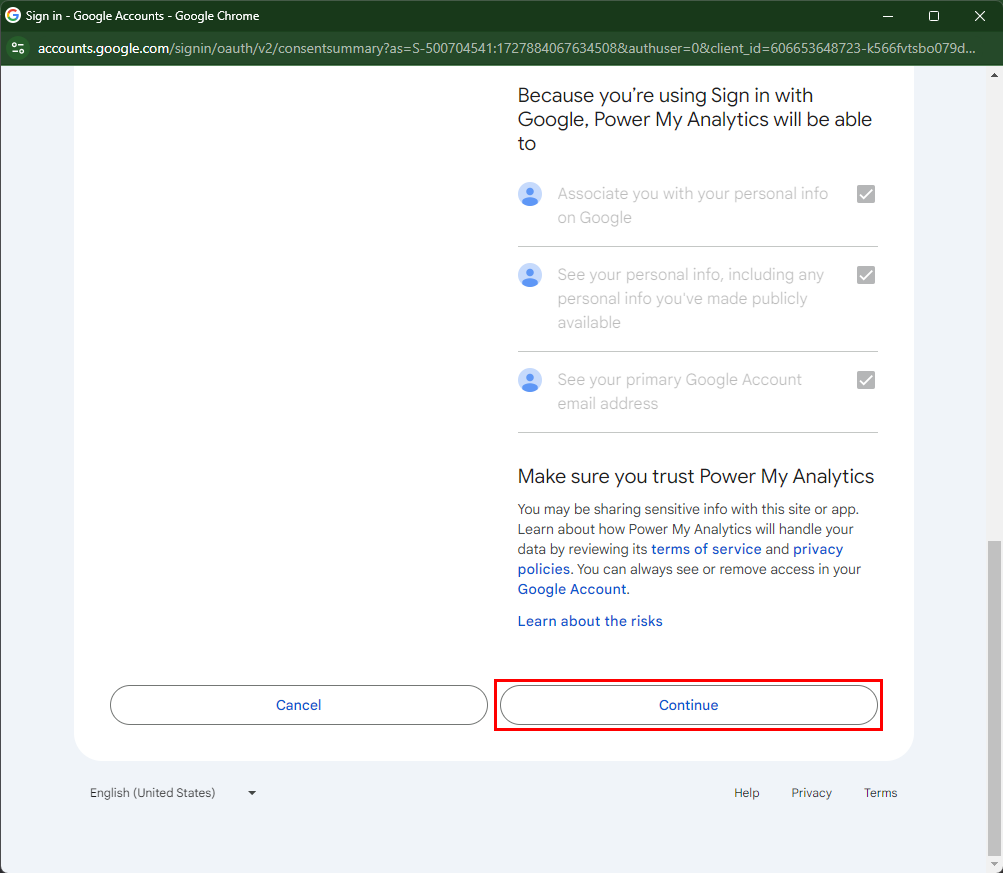
Verify the connection:
- After authorizing with the correct permissions, attempt to load your report again. The error should now be resolved.
Note: Power My Analytics' connector will never edit, create, or delete anything in your YouTube account. Google does not provide a read-only option for permissions.